DESCRIPTION
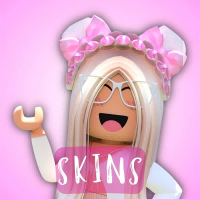
*Customuse: Skins Maker Roblox* is a creative tool game designed specifically for Roblox platform players, essentially a "UGC (User Generated Content) creation tool." It's not a traditional competitive or adventure game, but rather focuses on designing, creating, and sharing custom skins (appearances) for Roblox characters, transforming players from "game participants" into "content creators."
I. Game Type: A "Skin Creation Engine" for the Roblox Ecosystem
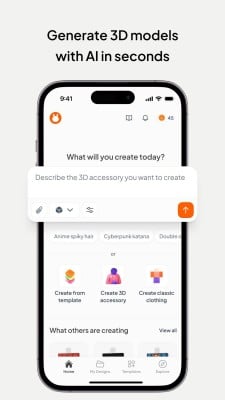
As a derivative tool of the Roblox platform, the game's core positioning is a "character appearance design tool," combining "creative design" and "community sharing" attributes. Players don't need complex programming or art skills to design unique skins for Roblox characters (including avatars, props, accessories, etc.) through a visual interface, ultimately applying their creations to their Roblox accounts or sharing them with the community for other players. Therefore, it's more like a "lightweight digital painting + 3D modeling tool," serving Roblox's vast UGC ecosystem.
II. Core Features: Deep Integration of Low-Threshold Creation and Community Collaboration
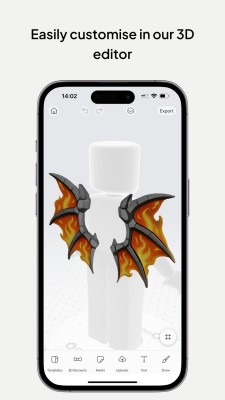
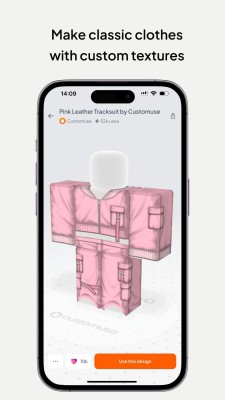
Zero-threshold design tools, everyone can become a designer. The game's most prominent feature is "lowering the creative threshold": providing drag-and-drop operation, preset templates, and a resource library, allowing beginners to quickly get started. For example, character skins are divided into modules such as "head, torso, and limbs." Players can directly select preset colors and textures (such as metal, fabric, and cartoon patterns) to fill, or upload custom images (such as self-drawn patterns or photos) as skin textures. For detail enthusiasts, they can also adjust the pattern position using scaling and rotation tools, and even manually doodle with the brush tool—no professional art knowledge is required to create personalized skins.
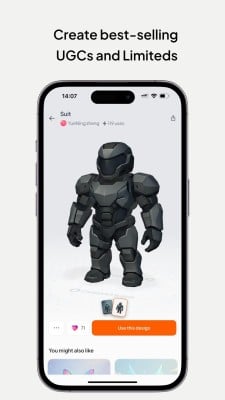
Rich resource library and real-time preview for more efficient creation. A massive library of free resources is built-in, covering stylized elements (such as cyberpunk, anime, and retro styles), functional textures (such as reflective materials and transparent effects), and holiday themes (such as Christmas and Halloween), which players can directly combine and use. More importantly, the design process supports real-time 3D preview: when adjusting skin details, the character rotates 360° to showcase the effect, avoiding the problem of "a beautiful design on a flat surface, but awkward when worn." For example, when designing a back pattern, the view can be switched instantly to check the fit, significantly improving creative efficiency.
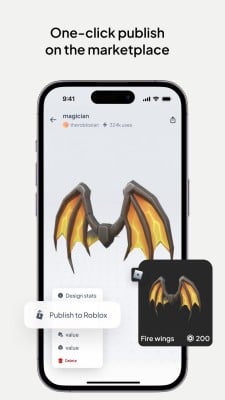
Seamlessly integrated with the Roblox ecosystem, works are plug-and-play. As an officially recognized Roblox tool, the game is deeply linked to the Roblox account: completed skins can be exported to the player's Roblox inventory with one click and directly applied to their character for display in other Roblox games. This closed loop of "creation - application - display" allows players' ideas to be quickly realized—for example, designing a "space astronaut" skin can be immediately used in Roblox's *Adopt Me!* or *Brookhaven*, gaining attention from other players.
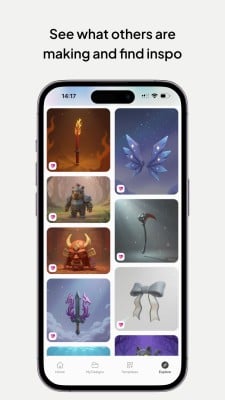
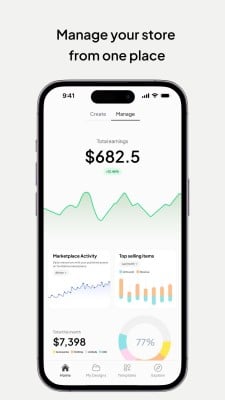
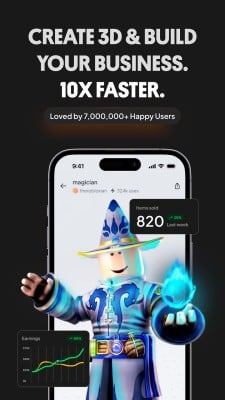
Community sharing and commercial potential inspire creative motivation. The game has a built-in community section where players can upload their works for others to use for free or purchase (using Roblox's virtual currency, Robux). High-quality skins will be featured on the official homepage, gaining greater exposure. This "creative monetization" mechanism not only gives players a sense of accomplishment but also encourages more people to engage in design—for example, some players have accumulated a large following and Robux income by creating skins of popular anime characters.
III. Beginner's Guide: From "Blank Canvas" to "Exclusive Skins"
Preparation: Account Binding and Interface Familiarization Upon first entering the game, you need to bind your Roblox account (ensure both are the same account to avoid export issues). The main interface is divided into the "Creation Area" (left side, containing skin template selection), the "Material Library" (right side, categorizing colors, textures, and patterns), and the "Preview Area" (center, displaying 3D character effects). Beginners are advised to first click on "New Player Guide" and follow the tutorial to understand basic operations: such as selecting a "Humanoid Character Template," using the color tool to fill the torso with a basic color, and getting a feel for the interface logic.
Basic Creation: Start with a template. For your first skin, it's not recommended to design from scratch. Use the "template modification method": Select a basic skin from the "template library" (such as the default T-shirt and jeans). Quickly modify it by changing colors and adding patterns. For example, change the T-shirt color to your favorite blue, add a star pattern from the resource library to the chest, and change the pants to a camouflage texture—a personalized skin can be completed in under 10 minutes. After completion, click "Preview," rotate the character to check details, and click "Save" once everything is correct.
Advanced Techniques: Custom Elements and Detail Refinement. Once you are familiar with the basic operations, you can try adding custom content:
Upload Images: Click the "Upload" button, select an image from your phone (such as a hand-drawn logo or a photo of your idol), adjust the size, and paste it onto the character's clothes or hat (be careful to avoid copyright infringement; original materials are recommended).
Layered Design: Utilize the "Layers" function to add depth to the skin—for example, first lay down a red base layer, then overlay a semi-transparent black mesh texture to create a "mesh" effect.
Compatible Accessories: When designing, consider items the character might wear (such as hats and backpacks), reserving space in corresponding locations (e.g., simplifying the design of the head area covered by a hat) to avoid obscuring the pattern.
Application and Sharing: Make your work visible. After completing your design, click "Export to Roblox," and the skin will automatically sync to your account inventory. Enter any Roblox game and select the new skin in the character editing interface to use it. To share, upload your work to the game's community, add tags (such as #Anime, #Cool) to increase exposure, or set it to "Free to Use" or "Priced at 10 Robux" to try and get community feedback.
The core value of *Customuse: Skins Maker Roblox* lies in "unleashing creativity." It allows Roblox players to break free from the limitations of official skins and achieve personalized expression with simple tools. Whether you want your character to be unique in the game or hope to gain recognition through creation, beginners can quickly master design skills by starting with template modification and gradually trying custom elements. In this process, "daring to try" is more important than "pursuing perfection" - after all, each skin is an extension of the player's personality.




Reviews